Best Wireless Access Points 2026: Ubiquiti, Omada & More Reviewed
Disclosure: This post contains affiliate links. We earn a commission on purchases made through these links, at no extra cost to you.
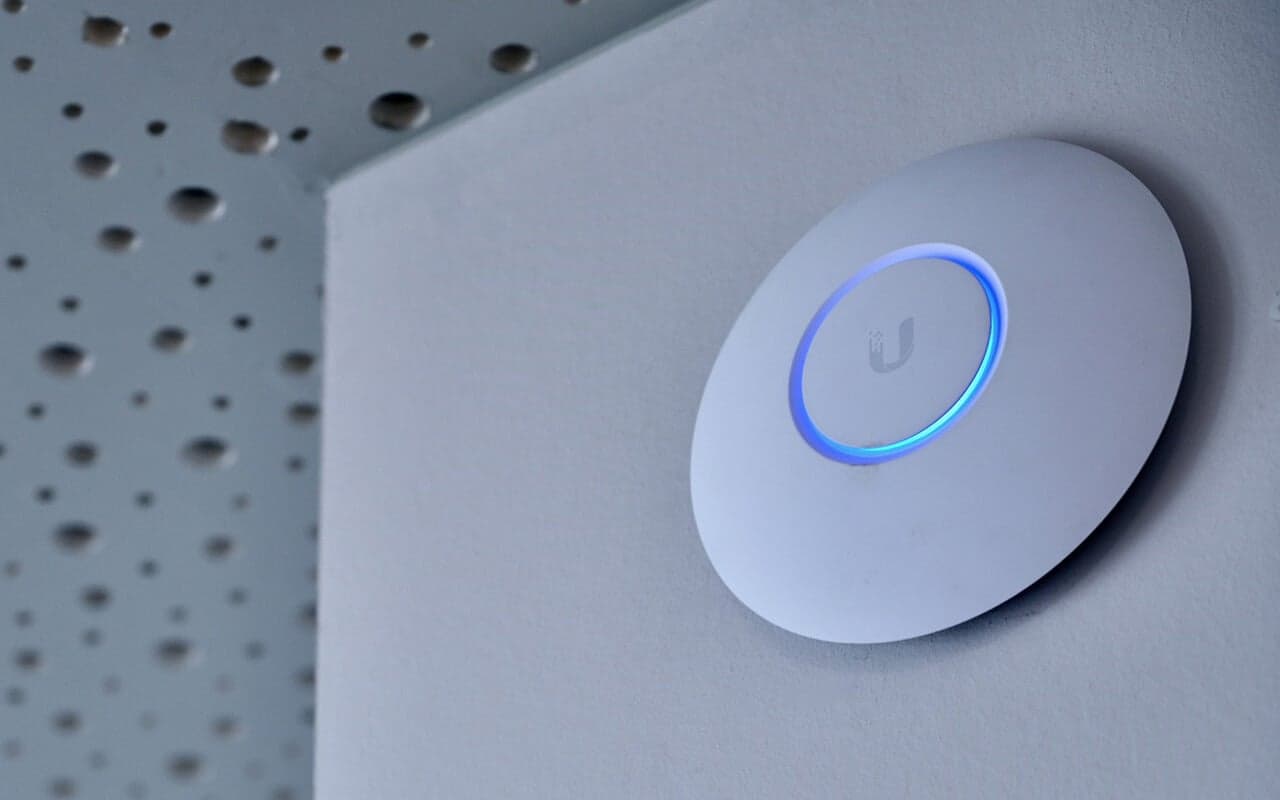
If a router alone isn't covering your house, apartment, or small office, a dedicated access point (AP) is the fix — and it beats a mesh add-on kit almost every time, because it's wired instead of relying on a wireless backhaul. Our pick for most people is the Ubiquiti UniFi U7 Pro ($189 typically): WiFi 7 speeds, a 2.5GbE uplink that won't bottleneck it, and the UniFi app makes setup painless even if you've never touched enterprise gear before. If you want to spend less, the TP-Link Omada EAP610 (around $90) gets you a rock-solid WiFi 6 AP with no ongoing software fees.
Below we cover our picks by tier, then the buying guide that actually matters in 2026 — because the real decision isn't "which AP has the biggest number on the box," it's which ecosystem (UniFi vs. Omada vs. standalone) you want to live in, and whether your network can even use what the AP is capable of.
Quick comparison
| Pick | WiFi generation | Uplink port | PoE needed | Best for |
|---|---|---|---|---|
| Ubiquiti UniFi U7 Pro | WiFi 7 (6 streams) | 2.5GbE | 802.3at (PoE+) | Best overall home/small office AP |
| Ubiquiti UniFi U7 Pro Max | WiFi 7 (8 streams) | 2.5GbE | 802.3at (PoE+) | Larger homes, more concurrent clients |
| Ubiquiti UniFi U7 Lite | WiFi 7 (no 6GHz radio) | 2.5GbE | 802.3af (PoE) | Budget WiFi 7 / apartment |
| Ubiquiti UniFi U7 Pro XG | WiFi 7 (6 streams) | Multi-gig (up to 10G) | 802.3at (PoE+) | Homes with a 5G/10G wired backbone |
| TP-Link Omada EAP772 | WiFi 7 (tri-band) | 2.5GbE | 802.3at (PoE+) | Omada households wanting WiFi 7 |
| TP-Link Omada EAP783 | WiFi 7 (tri-band, flagship) | Dual 10GbE (one PoE+) | 802.3bt (PoE++) recommended | Max-throughput Omada deployments |
| Ubiquiti UniFi U6+ | WiFi 6 (4 streams) | 1GbE | 802.3af (PoE) | Budget WiFi 6 in the UniFi app |
| TP-Link Omada EAP610 | WiFi 6 (AX1800) | 1GbE | 802.3at (PoE+) | Cheapest solid Omada AP |
| TP-Link Omada EAP670 | WiFi 6 (AX5400) | 2.5GbE | 802.3at (PoE+) | Best value WiFi 6 pick |
| Netgear WAX620 | WiFi 6 (AX3600) | 2.5GbE | 802.3at (PoE+) | Non-UniFi/Omada option, Insight cloud |
| EnGenius ECW526 | WiFi 7 (tri-band) | 10GbE (PoE+) | 802.3at (PoE+) | No mandatory subscription, cloud-managed |
How we picked
This is a research-based roundup, not a hands-on lab test — it's built from manufacturer spec sheets, independent reviews (Dong Knows Tech, iFeeltech, StorageReview, and others), and retailer listings, cross-checked against each other. Where a spec or price couldn't be verified from more than one current source, we've said so or left it out rather than guess. Prices are approximate street prices as of mid-2026 — networking gear goes on sale constantly, so treat these as ballpark figures, not quotes.
The picks
1. Ubiquiti UniFi U7 Pro — best overall
The U7 Pro is the AP most home and small-office buyers should start with. It's a 6-spatial-stream WiFi 7 access point with a 2.5GbE uplink, rated for roughly 1,500 sq ft of coverage and 300+ concurrent clients. It runs on standard 802.3at PoE+, so most existing PoE+ switches or a single injector will power it — no exotic power requirements.
It joins the UniFi app/ecosystem, which means you get real network visibility (client list, channel utilization, roaming behavior) without needing a separate controller box if you're already running UniFi hardware, or via the free UniFi mobile/cloud app if you're starting fresh.
Pros
- 2.5GbE uplink keeps pace with the WiFi 7 radio instead of bottlenecking it
- Standard PoE+ power — no special switch required
- Clean setup and monitoring through the UniFi app
- Good middle ground between the cut-down Lite and the pricier Pro Max
Cons
- Needs a UniFi-compatible PoE+ switch or injector (not included)
- WiFi 7 client devices are still relatively rare, so day-one gains are modest for most households
Who it's for: anyone building or upgrading a wired-AP home network who wants headroom for the next few years without paying for enterprise-tier client capacity they won't use.
2. Ubiquiti UniFi U7 Pro Max — best for larger homes
Step up from the U7 Pro and you get 8 spatial streams, roughly 1,750 sq ft of rated coverage, and support for 500+ concurrent clients — useful if you've got a big house, a lot of smart-home devices, or you're covering a small office. It still uses a 2.5GbE uplink and standard 802.3at PoE+ power (at up to 25W), so it doesn't force you into PoE++ switch gear the way some higher-end WiFi 7 APs do.
Pros
- Meaningfully higher client capacity than the base U7 Pro
- Still runs on common PoE+ infrastructure, not PoE++
- Same easy UniFi app management
Cons
- Typically priced around $279, a real step up from the U7 Pro
- Overkill for a typical 2-3 bedroom home or apartment
Who it's for: bigger homes, multi-AP deployments where you want fewer APs doing more work, or households packed with WiFi devices.
3. Ubiquiti UniFi U7 Lite — best budget WiFi 7
The U7 Lite gets you into the WiFi 7 / UniFi ecosystem for well under $100. The tradeoff is real: it's a dual-band-only design with no dedicated 6GHz radio, so you don't get the headline WiFi 7 features like 6GHz MLO — you're mostly buying newer chipset efficiency and the UniFi software experience at a low price. It still has a 2.5GbE uplink, but runs on plain 802.3af PoE rather than PoE+.
Pros
- Cheapest way into UniFi's WiFi 7 hardware generation
- 2.5GbE uplink despite the low price
- Runs on basic 802.3af PoE
Cons
- No 6GHz radio — you're not getting WiFi 7's marquee feature
- Rated coverage and client capacity are the lowest in the U7 line
Who it's for: apartments, small homes, or budget-conscious buyers who want current-generation UniFi hardware without paying for 6GHz.
4. Ubiquiti UniFi U7 Pro XG — best for a fast wired backbone
This is the pick if your switch and cabling can actually deliver more than 2.5Gbps to the AP. The U7 Pro XG has a genuine multi-gig uplink (up to 10GbE, auto-negotiating down to 5/2.5/1GbE), 6 spatial streams, and runs on 802.3at PoE+ at up to 22W. Ubiquiti's own numbers put it around 5.8 Gbps on 6GHz and 4.3 Gbps on 5GHz — but remember, those are radio-side link rates, not what any single device will see in practice.
There's also a U7 Pro XGS variant that steps up to 802.3bt (PoE++) power for higher output — only worth it if you've already got PoE++ switch ports to spare.
Pros
- Real multi-gig uplink, not just marketing on the 5GHz radio
- Still runs on common PoE+ (802.3at) power, unlike the XGS variant
- Auto-negotiates down cleanly if your switch only has 2.5G ports
Cons
- Wasted money if your switch and internet plan top out at 1Gbps
- Priced close to $199, more than the standard U7 Pro
Who it's for: households or small offices that have already invested in 2.5G/5G/10G switching and want the AP to keep up rather than become the new bottleneck.
5. TP-Link Omada EAP610 — best budget pick
If UniFi's slightly higher prices and app-first approach aren't your thing, TP-Link's Omada line is the other major self-managed ecosystem, and the EAP610 is its budget workhorse. It's a WiFi 6 AX1800 AP with a standard gigabit port, runs on 802.3at PoE+, and typically sells for around $90 — often less on sale.
Pros
- One of the cheapest genuinely business-grade APs available
- 802.3at PoE+ is easy to power from almost any modern PoE switch
- Full Omada app/controller support if you want to add more APs later
Cons
- Gigabit uplink caps it well below what WiFi 6 can theoretically push
- AX1800 is entry-level — fine for a bedroom or small office, not a big house
Who it's for: single-AP households on a budget, or anyone testing the Omada ecosystem before committing to more hardware.
6. TP-Link Omada EAP670 — best value WiFi 6
The EAP670 is what we'd actually buy if we wanted WiFi 6 without going to WiFi 7. It's an AX5400 AP with a 2.5GbE PoE+ port, 160MHz channel support, and typically runs around $150 — a genuinely good middle-tier AP for a house that doesn't need 6GHz or MLO.
Pros
- 2.5GbE uplink actually matches what the WiFi 6 radio can push
- Strong throughput specs (AX5400, 160MHz) for the price
- Shares firmware/features with the smaller EAP610, so the learning curve is the same
Cons
- No WiFi 7 / 6GHz future-proofing
- About twice the physical size of the EAP610, which matters for tight mounting spots
Who it's for: buyers who want real WiFi 6 performance without paying the WiFi 7 premium, especially if their client devices are all WiFi 6 or older anyway.
7. TP-Link Omada EAP772 — WiFi 7 for Omada networks
The Omada equivalent to the UniFi U7 Pro. The EAP772 is a tri-band BE11000-class WiFi 7 AP with a 2.5GbE PoE+ uplink. It's the AP to get if you're already standardized on Omada hardware (switches, gateway) and want to add WiFi 7 to that network without switching ecosystems.
Pros
- Full tri-band WiFi 7 radio set, including 6GHz
- 2.5GbE uplink matched to the radio
- Fits into an existing Omada controller/switch deployment
Cons
- Needs a PoE+ port or injector, not included
- Priced in a similar range to the UniFi U7 Pro, so the choice mostly comes down to ecosystem preference, not price
Who it's for: existing Omada shops adding WiFi 7 capacity.
8. TP-Link Omada EAP783 — max-throughput flagship
TP-Link's top-end WiFi 7 AP. The EAP783 is a BE22000-class tri-band AP with two 10Gbps ports — one of which delivers PoE+ — so it can both uplink at 10G and pass a wired 10G device through the second port. It does not ship with a power adapter or injector, and realistically wants a PoE++ (802.3bt) switch, ideally one with 10G ports, to run at full power.
Pros
- Genuine dual-10G port design, unusual at this price tier
- Top-tier 4x4 WiFi 7 radio specs
- Useful as a small "hub" AP that also feeds a wired device
Cons
- Needs PoE++ switch infrastructure most home networks don't have
- Priced and specced well past what a typical home needs
Who it's for: small offices or enthusiast networks with 10G switching already in place.
9. Netgear WAX620 — best non-UniFi/Omada option
If you'd rather avoid both the UniFi and Omada ecosystems, Netgear's WAX line (managed through the Insight app/cloud) is a credible third option. The WAX620 is a dual-band WiFi 6 AX3600 AP with a 2.5GbE PoE+ port and up to 3.6Gbps aggregate throughput on paper. Netgear also sells the smaller WAX610 (AX1800, similar port) and the tri-band WAX630 for denser deployments.
Pros
- Solid WiFi 6 performance with a 2.5GbE port that isn't wasted
- Insight app management is straightforward for non-technical users
- Backward-compatible with other Insight-managed Netgear APs
Cons
- Smaller ecosystem and community than UniFi or Omada, fewer third-party guides
- No current WiFi 7 model in the same accessible price bracket as UniFi/Omada
Who it's for: buyers who already use Netgear Insight gear, or who specifically want to avoid the UniFi/Omada duopoly.
10. EnGenius ECW526 — cloud-managed WiFi 7 without a subscription trap
EnGenius's cloud-managed line (EnGenius Cloud) is worth knowing about because, unlike Meraki, it doesn't require a mandatory ongoing license to keep functioning. The ECW526 is a tri-band 2x2x2 WiFi 7 AP with a single 10GbE PoE+ port, rated up to roughly 9.4 Gbps aggregate. There's also a cheaper ECW520 (around $189) if you want WiFi 7 with mesh capability at a lower tier.
Pros
- 10GbE port is genuinely fast for the price
- Cloud management with no mandatory recurring license
- A legitimate fourth option beyond UniFi, Omada, and Netgear
Cons
- Smaller install base means less community documentation than UniFi/Omada
- Best value tier (ECW520) trades off some radio capability for price
Who it's for: buyers who want cloud management and WiFi 7 speed but are wary of subscription-gated hardware.
Buying guide: what actually matters in 2026
The ecosystem is the real decision
Before you pick a specific model, pick a controller/ecosystem — this matters more than any single spec on the box.
- UniFi (Ubiquiti): APs are managed through the UniFi app, which can run three ways: a hardware console (a UniFi Cloud Gateway or Cloud Key you own), a self-hosted UniFi Network Server on your own PC/NAS/VM (free, but it's a single point of failure and you're responsible for updates and backups), or Ubiquiti's own cloud-hosted option. No mandatory subscription for basic functionality.
- Omada (TP-Link): Same basic choice — a free software controller you self-host, a small hardware controller (like the OC200/OC300), or the free Omada cloud-based controller. Also no mandatory subscription for core features.
- Standalone / "router in AP mode": The free option. Nearly any consumer router can be flashed into access-point mode and used as a wired AP — you just plug its LAN port into your main router/switch instead of its WAN port, and turn off its DHCP server. It won't get you WiFi 7 or slick app management, but if you have an old router sitting in a drawer, it's a legitimate zero-cost way to add a wired AP for a single room.
- Cisco Meraki: Worth knowing about mainly as a cautionary tale for home buyers — every Meraki AP requires an active MR subscription license just to stay configured in the dashboard, with only a short grace period if it lapses. Great for IT departments managing hundreds of sites; a bad fit for a home network you don't want a recurring bill for.
- Aruba Instant On (HPE): Aruba's small-business line (AP22, AP25) uses free cloud/app management with no recurring license, positioned similarly to Omada — a reasonable option if you're specifically comparing enterprise-adjacent brands.
Your uplink port is the real speed limit
This is the same lesson that applies to home routers generally: the AP's WiFi radio speed on the box — "BE22000," "AX5400," whatever — is a theoretical, aggregated-across-all-bands number. What actually caps your real throughput is the wired uplink port feeding the AP. A WiFi 7 AP plugged into a 1GbE switch port will never deliver more than roughly a gigabit to any single wired-backed application, no matter what the radio can theoretically do over the air. If you want to actually use a 2.5GbE-class AP, the switch port and cable run feeding it need to support 2.5GbE too — same principle we've covered for Fios routers and their WAN/LAN ports.
PoE, explained plainly
Almost none of the APs on this list ship with a power adapter — they expect Power over Ethernet, meaning power comes down the same cable as your data. You need either:
- A PoE switch with enough powered ports and the right PoE standard, or
- A PoE injector, a small box that sits between your unpowered switch and the AP and injects power onto the cable.
The standards matter because they're not interchangeable in terms of power budget:
- 802.3af (PoE): up to ~15.4W — fine for lighter APs like the U7 Lite or U6+.
- 802.3at (PoE+): up to ~30W — what most current mid-range APs (U7 Pro, U7 Pro Max, EAP610/670/772) actually need.
- 802.3bt (PoE++): up to 60–90W depending on type — required for the highest-output WiFi 7 APs like the EAP783 or U7 Pro XGS.
Check the AP's exact PoE requirement before buying a switch or injector — under-powering an AP can cause it to run in a reduced-radio mode or reboot randomly.
Mesh vs. a wired AP
A wired access point beats a wireless mesh extender for one simple reason: mesh nodes typically share the same radio for both talking to your devices and relaying data back to the main router, which eats into your usable bandwidth. A wired AP has a dedicated, full-speed Ethernet connection back to your network, so none of that capacity is wasted on backhaul. If you can run even one Ethernet cable to a central spot in your home, a single wired AP (or a router set to AP mode, as above) will usually outperform an entire mesh kit.
WiFi 7 and 6GHz: is it worth it yet?
WiFi 7's headline features — the 6GHz band, wider 320MHz channels, and Multi-Link Operation (MLO), which lets a compatible device stay connected across multiple bands at once — are real, but they come with caveats. 6GHz has shorter range than 5GHz, so its top speeds are mostly realized close to the AP. MLO only kicks in when both the AP and the client device support it, and most phones and laptops in active use today are still WiFi 6/6E. And none of it matters if your uplink is capped at 1GbE, per the section above.
Our honest take: WiFi 7 is worth paying for if you already have (or plan to add) 2.5GbE+ wired backhaul and you're buying newer client devices that actually support it. If your network and devices are still WiFi 6-era, a well-specced WiFi 6/6E AP like the EAP670 or U6 Pro will serve you just as well for less money.
Which brands make the best access points?
A short answer to a question we get a lot:
Ubiquiti (UniFi) — the most popular self-managed brand for home and prosumer networks, thanks to a polished app and strong resale/community support. Slightly pricier than TP-Link at equivalent tiers.
TP-Link (Omada) — the best value-for-money ecosystem, with a lineup that mirrors UniFi's tiers at generally lower prices, plus the same self-hosted/hardware/cloud controller flexibility.
Netgear — a credible third option via the Insight-managed WAX line, especially for buyers who want cloud management without joining the UniFi/Omada crowd.
EnGenius — a smaller but legitimate cloud-managed alternative (EnGenius Cloud), notable for not gating core features behind a subscription.
Cisco Meraki — genuinely excellent for IT teams managing many sites, but every AP requires an active subscription license to keep working in the dashboard — a real ongoing cost that makes it a poor fit for home use.
Aruba Instant On (HPE) — a solid small-business-oriented line with free cloud/app management, worth a look if you want an alternative to the UniFi/Omada duopoly with similar simplicity.
Frequently asked questions
What's the difference between a wireless access point and a router? A router combines routing (managing your connection to the internet and assigning local IP addresses) with a built-in access point for WiFi. A standalone access point does only the WiFi part — it needs to be plugged into an existing router or switch to get internet access, and it doesn't run its own DHCP server. That's exactly why APs are the right tool for extending coverage: you're adding wireless capacity without adding a second router to the network.
Can I turn an old router into an access point? Yes. Most consumer routers have an "AP mode" or can be manually configured for it — connect a LAN port (not the WAN port) to your main network, disable the router's DHCP server, and give it a static IP. It's the free option, though you won't get PoE, an app-based controller, or modern WiFi 7/6E hardware.
Do I need a controller to run just one access point? No. Every AP on this list can run standalone with just its own local web interface or app — for example, one UniFi or Omada AP can be adopted and managed straight from your phone without a dedicated hardware controller. Controllers (hardware or self-hosted) become worthwhile once you're managing several APs together for unified settings and roaming.
What's the best access point for a home network on a budget? The TP-Link Omada EAP610 is the best budget pick here — a real business-grade AX1800 WiFi 6 AP for around $90, with the option to expand into the wider Omada ecosystem later.
Which access point brand is best? For most home users, Ubiquiti UniFi and TP-Link Omada are the two ecosystems worth comparing first — UniFi for polish and community support, Omada for value. See the brand breakdown above for the full picture.
Do I need a 5GHz-specific access point? Every AP on this list already includes 5GHz alongside 2.4GHz (and 6GHz on WiFi 6E/7 models), so there's no need to hunt for a "5GHz-only" AP — you'll want the dual/tri-band flexibility for device compatibility anyway.
The final verdict
For most homes and small offices, the Ubiquiti UniFi U7 Pro is the right default: current-generation WiFi 7, a 2.5GbE uplink that won't bottleneck it, and an app that doesn't require networking expertise to use. If you'd rather not pay the WiFi 7 premium yet, the TP-Link Omada EAP670 is the better-value WiFi 6 pick, and the EAP610 is the cheapest way to get a genuinely solid wired AP into a single room.
Whatever you choose, remember the two things that matter more than the spec sheet: match your uplink port and cabling to the AP's actual speed, and make sure you've got the right PoE source lined up before it arrives. And if you're pairing new gear with a laptop that still needs better WiFi hardware itself, our guides to PCIe WiFi cards vs. USB WiFi adapters and what a USB WiFi adapter actually does cover the client side of the equation.

Tech enthusiast and founder of Technize. Passionate about making technology accessible and helping people make smarter buying decisions.