Is a 13-Inch Laptop Too Small? How to Decide
Disclosure: This post contains affiliate links. We earn a commission on purchases made through these links, at no extra cost to you.
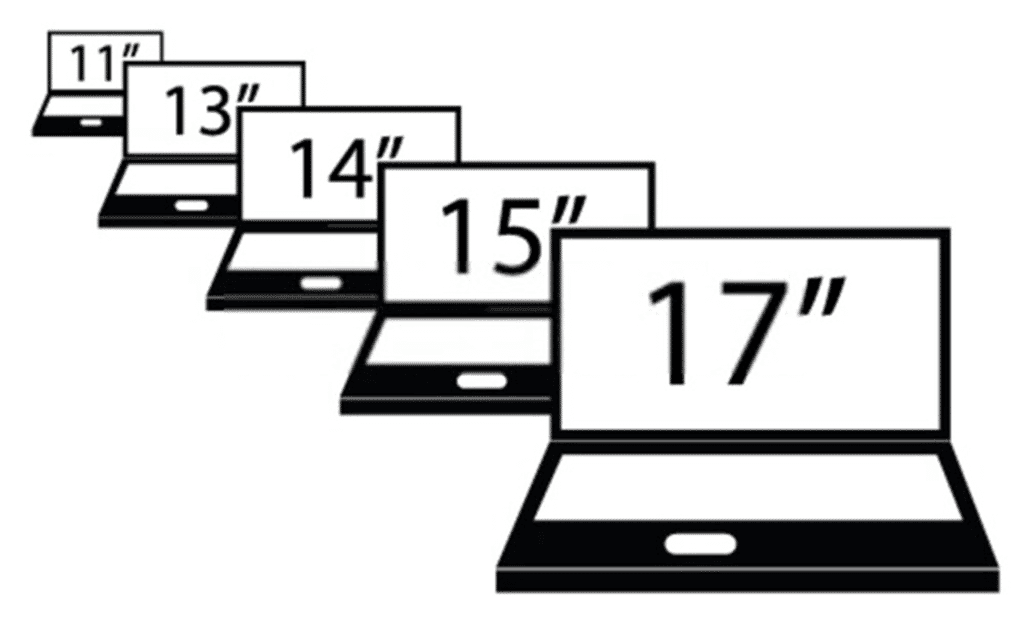
For most people, no — a modern 13-inch laptop is not too small. Thanks to taller 16:10 and 3:2 screens and thinner bezels, today's 13-inch panels show noticeably more usable content than the 13.3-inch 16:9 laptops from a decade ago. It only becomes too small if you do heavy multitasking with several windows side by side, spreadsheet-dense work, video or photo timeline editing, or CAD without a second monitor.
What changed since this question first came up
The old assumption that "13-inch means cramped" comes from 16:9 panels with thick bezels. Most current 13-inch laptops have moved on:
- Taller aspect ratios. 16:10 (Dell, HP, Lenovo, most Windows ultraportables) and 3:2 (Microsoft Surface Pro) add vertical pixels compared to 16:9, which matters more for reading documents and web pages than raw diagonal inches.
- Thinner bezels. Apple's 13-inch MacBook Air line now uses a 13.6-inch panel in roughly the footprint older 13.3-inch models used — a good example of how the same physical size now delivers a bigger screen.
- Better OS scaling. Windows 11 and macOS both handle high-DPI scaling far more cleanly than they did in 2021, so a small, sharp panel doesn't force you to squint at tiny text.
13-inch vs. 15.6-inch: the real-estate math
| 13.3–13.6-inch | 15.6-inch | |
|---|---|---|
| Typical aspect ratio | 16:10 or 3:2 | 16:9 |
| Typical resolution | 1920×1200 to 2560×1664 | 1920×1080 to 2560×1440 |
| Approx. usable screen area | Smaller, but taller per inch | ~30–40% more physical area |
| Typical weight | ~2.2–3 lb | ~3.7–5.5 lb |
| Typical width | ~11.5–12 in | ~14–14.5 in |
A 15.6-inch screen still wins on raw area and side-by-side window space. But the weight and footprint gap is the real tradeoff — you're carrying roughly a pound to two pounds more, and the laptop won't fit in as many bags.
13 vs. 14 inch: the market has actually shifted
If you're comparing sizes, it's worth knowing that 14 inches — not 13 — is now the more common "small but usable" size among premium laptops. HP's OmniBook X and OmniBook Ultra lines, most business Ultrabooks, and many of Lenovo's ThinkPads default to 14-inch panels in bodies barely bigger than the old 13-inch ones. Dell's XPS 13 is one of the few current flagship 13-inch holdouts (it was relaunched at $699 — $599 with student pricing — though the entry configuration ships with only 8GB of RAM, so check the spec sheet before assuming that price gets you a comfortable daily driver). If you want a little more screen without a real size penalty, a 14-inch laptop is worth cross-shopping against any 13-inch model on your list.
Who a 13-inch laptop is right for
- Students taking notes, writing papers, and browsing between classes
- Commuters and travelers who prioritize weight and bag space
- Anyone doing email, docs, spreadsheets with a few rows, and web-based work
- People who already have a desktop or docked monitor for heavier tasks at home
Who should size up
- Video or photo editors working with timelines and multiple panels
- Programmers or analysts who keep three or more windows open side by side
- Spreadsheet-heavy finance or data work with wide tables
- CAD, engineering, or 3D work
- Gamers — 13-inch laptops don't carry discrete GPUs; look at a 15-inch or 16-inch model instead
The external-monitor escape hatch
If most of your heavy work happens at a desk, a 13-inch laptop plus an external monitor beats carrying a 15-inch machine everywhere. A single USB-C cable can now handle video, power, and data on most modern 13-inch laptops, so docking is just one plug in and one plug out. You get a small, light laptop for the commute and a full-size display when you're actually sitting down to work.
The performance myth
A common leftover assumption is that small laptops are automatically weak. That hasn't been true for a while — the 13-inch MacBook Air (M-series chips) and Dell XPS 13 handle everyday work, coding, and even moderate creative tasks without trouble. The real 13-inch tradeoffs today are fewer ports, tighter thermal headroom under long sustained loads (rendering, compiling, extended gaming), and no room for a discrete GPU — not raw everyday speed.
If you're shopping specifically in this size class, see our current picks in best 13-inch laptops, or check what laptop screen size you actually have if you're comparing against your current machine. You can also look at current options: see 13-inch laptops on Amazon.
If you're set on going bigger, our guide to 17-inch laptops covers the other end of the spectrum. Note that the smallest category, 11-inch laptops, has been shrinking fast — Microsoft discontinued the Surface Go line in June 2026 — so options below 13 inches are increasingly limited if you go that route.
Frequently asked questions
Is a 13-inch laptop too small for college? No, for most college work — note-taking, writing, research, and browsing — a 13-inch laptop is comfortable and easier to carry between classes than a larger one. It can feel tight for coding with multiple windows or design coursework, where a 14- or 15-inch screen helps.
Is a 13-inch laptop good for students? Yes. The lighter weight and smaller footprint matter more day to day for students than the extra screen space of a 15-inch model, especially if you already have a monitor at home or in a dorm for heavier work.
13 vs. 15 inch laptop: which should I buy? Choose 13-inch if portability and weight matter most and your work is mostly writing, browsing, and light multitasking. Choose 15-inch if you regularly need more on-screen space at once, want a discrete GPU option, or rarely carry the laptop around.
Can you game on a 13-inch laptop? Not seriously. 13-inch laptops don't have room for discrete graphics cards, so they handle light or cloud gaming but not modern AAA titles at native settings. For real gaming performance, look at 15- or 16-inch laptops built around a dedicated GPU.
The verdict
A 13-inch laptop is not too small for the majority of everyday users — students, commuters, and anyone doing browsing or office work will find modern 13-inch screens comfortable thanks to taller aspect ratios and thinner bezels. It becomes limiting only for heavy multitasking, creative timeline work, CAD, or gaming, where a 14-inch or 15-inch laptop — or a 13-inch machine paired with an external monitor — is the better call. For current model picks in this size, see best 13-inch laptops.

Tech enthusiast and founder of Technize. Passionate about making technology accessible and helping people make smarter buying decisions.