9 Best 64GB RAM Laptops in 2026
Disclosure: This post contains affiliate links. We earn a commission on purchases made through these links, at no extra cost to you.
64GB is a specific, heavy-duty spec — most people don't need it, and if you only glanced at our 32GB roundup it's worth asking whether 32GB is already overkill for what you do. But for the workloads that genuinely eat memory — big VMs and containers, 6K/8K video timelines, large CAD or simulation assemblies, local LLM inference, or GIS/photogrammetry rasters — 32GB runs out, and 64GB is where things stop swapping to disk.
Two things make 2026 a strange year to shop for this spec. First, DRAM prices have surged on AI data-center demand — memory now makes up a much bigger slice of a laptop's bill of materials than it did a year ago, and 64GB configurations carry a real premium (Tom's Hardware has been tracking the run-up). Second, more thin-and-light laptops than ever ship with memory soldered to the board, which means the configuration you buy is the configuration you keep forever — there's no upgrading a Lunar Lake ultrabook to 64GB later, because Intel's Core Ultra 200V chips cap out at 32GB on-package by design.
That's why, for anyone chasing 64GB on a budget, the cheapest real path is often a laptop with open SO-DIMM slots plus an aftermarket 2x32GB kit rather than paying the manufacturer's soldered-memory upcharge — see our guide to upgrading laptop RAM and run your exact model through our RAM Upgrade Checker before you buy either the laptop or the memory kit. Below, every pick is checked against the manufacturer's own spec sheet, and we flag whether it ships with 64GB, upgrades to 64GB via SO-DIMM, or goes well past it.
Quick comparison table
| Laptop | RAM architecture | Max RAM | Ships with 64GB? | Approx. price (64GB) |
|---|---|---|---|---|
| Lenovo Legion Pro 7i (Legion Pro 7 16IAX10H) | 2x DDR5-6400 CSO-DIMM slots | 64GB | Yes | ~$2,700–3,400 |
| ASUS ROG Zephyrus G16 (2026) | Soldered LPDDR5X-8533 | 64GB | Yes (top config only) | ~$3,200–3,600 |
| Framework Laptop 16 | 2x DDR5-5600 SO-DIMM slots | 64GB official (32GB/slot) | No — upgrade with a 2x32GB kit | Laptop ~$1,700 + RAM kit |
| Lenovo ThinkPad P16 Gen 3 | 4x DDR5-5600 SO-DIMM slots | 192GB non-ECC / 128GB ECC | Yes, and can go far higher | ~$3,000–3,800 |
| HP ZBook Fury G1i | 4x DDR5-5600 SO-DIMM slots | 192GB non-ECC / 128GB ECC | Yes, and can go far higher | ~$3,200–4,000 |
| HP ZBook Power G11 | 2x DDR5-5600 SO-DIMM slots | 64GB | Yes | ~$1,900–2,400 |
| Dell Pro Precision 16 (formerly Pro Max) | 2x DDR5-6400 CSo-DIMM slots | 64GB | Yes | ~$2,600–3,200 |
| MSI Raider 18 HX AI | 4x DDR5-6400 SO-DIMM slots | Up to 192GB (slot-dependent) | Yes | ~$3,000–3,700 |
| MacBook Pro 14/16 (M5 Pro, 18-core CPU/20-core GPU) | Soldered unified memory | 64GB (M5 Pro) / 128GB (M5 Max) | Yes, build-to-order | ~$3,000–3,400 |
Prices move fast in this market — treat every number above as a snapshot, not a quote, and use the Amazon links for what things actually cost today.
How we picked
We only included laptops we could verify against a manufacturer spec sheet — Lenovo's PSREF database, HP's QuickSpecs/datasheets, Dell's published spec PDFs, MSI's and ASUS's official spec pages, Framework's own memory documentation, and Apple's configurator. Anything we couldn't pin down against a primary source, we hedged or left out — several older "64GB gaming laptop" listicles (including our own 2021 version of this page) named models whose real-world max was actually 32GB, so we re-verified everything from scratch rather than carrying old claims forward. We also split the list deliberately between SO-DIMM machines (cheaper to reach 64GB via upgrade) and soldered machines (pay once, no path up later), because that distinction matters more for this spec than almost any other.
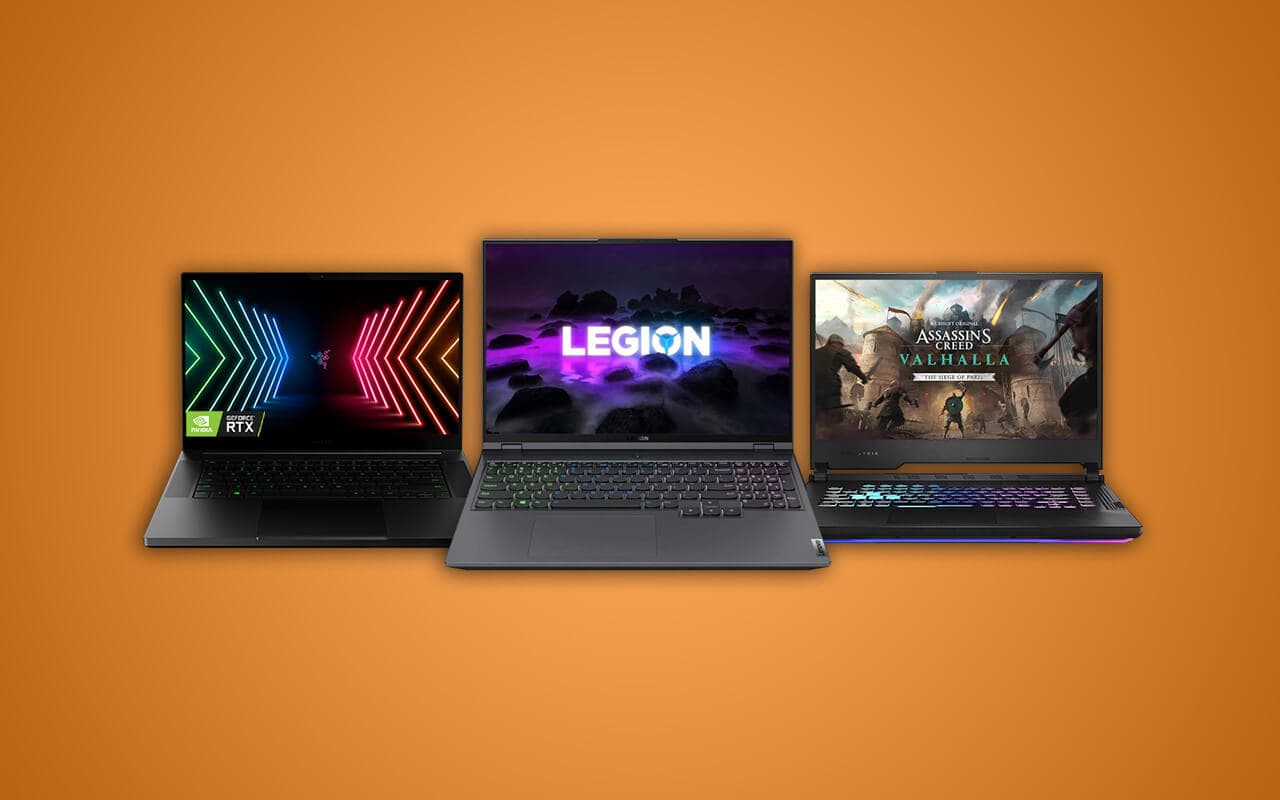
1. Lenovo Legion Pro 7i — Best gaming/creator laptop that ships with 64GB
- RAM: Up to 64GB DDR5-6400 across two customer-serviceable (CSO-DIMM) slots
- CPU/GPU: Intel Core Ultra 9 275HX (Arrow Lake-HX) / up to RTX 5080
- Why it's here: Lenovo's own PSREF spec sheet for the Legion Pro 7 16IAX10H lists a 64GB DDR5-6400 maximum on two CSO-DIMM slots, and Lenovo sells configurations with 64GB pre-installed. Because the slots are user-serviceable, you can also buy a lower-RAM config and upgrade later if 64GB isn't in the budget on day one.
Pros: Arrow Lake-HX (not the memory-capped Lunar Lake platform), strong RTX 50-series GPU options, serviceable memory, high-refresh QHD+ display.
Who it's for: Gamers who also do serious creative or engineering work on the side and want desktop-class performance in a 16-inch chassis. Weakness: heavy and loud under load — this is not a travel laptop.
2. ASUS ROG Zephyrus G16 (2026) — Best thin 64GB gaming laptop
- RAM: 64GB soldered LPDDR5X-8533 (top configuration only — not upgradeable)
- CPU/GPU: Intel Core Ultra 9 (Arrow Lake-H) / RTX 50-series
- Why it's here: ASUS's own spec page for the 2026 Zephyrus G16 lists 64GB as the top memory tier, running as soldered LPDDR5X for bandwidth and thinness. There's no SO-DIMM slot on this chassis, so you must buy the 64GB configuration up front — there's no upgrading it later.
Pros: Genuinely thin and light for a 64GB machine, OLED display, quiet running for a gaming laptop.
Who it's for: Buyers who want 64GB in a chassis that doesn't look or weigh like a gaming laptop. Weakness: soldered memory means you're locked into whatever tier you buy — get this wrong and there's no fix.
3. Framework Laptop 16 — Best for buying 64GB the cheap way
- RAM: Two DDR5-5600 SO-DIMM slots, 32GB each, for an officially supported 64GB total
- CPU/GPU: AMD Ryzen AI 300-series, with a swappable dGPU module
- Why it's here: Framework's own memory documentation confirms two SO-DIMM slots supporting 32GB modules apiece for a 64GB officially validated maximum (some owners report running larger unofficial modules — treat that as unsupported). Framework doesn't sell a 64GB pre-built at a discount; you buy the laptop with a smaller kit and add your own SO-DIMMs, which is usually cheaper than paying a manufacturer's soldered-memory markup, especially with DRAM prices elevated right now.
Pros: Fully modular and repairable, swappable ports and GPU module, real SO-DIMM upgrade path.
Who it's for: Buyers who want to control their own RAM costs and repair their own hardware. Weakness: industrial design and battery life trail more polished competitors.
4. Lenovo ThinkPad P16 Gen 3 — Best if you might need more than 64GB later
- RAM: Four DDR5-5600 SO-DIMM slots, up to 192GB non-ECC (128GB ECC)
- CPU/GPU: Intel Core Ultra (HX-series) / NVIDIA RTX PRO workstation graphics
- Why it's here: Lenovo's PSREF listing for the ThinkPad P16 Gen 3 shows four SO-DIMM slots and a 192GB non-ECC ceiling (128GB with ECC modules) — meaning 64GB is a comfortable mid-tier config here, not the top of the range, and you have real room to grow if your VM or CAD workloads expand.
Pros: ISV-certified for CAD/engineering software, ECC memory option, huge headroom above 64GB.
Who it's for: CAD, simulation, and engineering users who want a machine that won't be memory-limited again for years. Weakness: the price and weight of a true mobile workstation.
5. HP ZBook Fury G1i — Best workstation alternative to the P16
- RAM: Four DDR5-5600 SO-DIMM slots, up to 192GB non-ECC (128GB ECC)
- CPU/GPU: Intel Core Ultra HX-series / NVIDIA RTX PRO
- Why it's here: HP's QuickSpecs for the ZBook Fury G1i confirm the same four-slot, 192GB-capable memory architecture as the ThinkPad P16 Gen 3, making this HP's direct competitor for that class of mobile workstation.
Pros: Certified workstation drivers and ISV support, top-tier RTX PRO GPU options, generous port selection.
Who it's for: Studios and engineering teams standardized on HP hardware who need CAD/rendering-grade reliability. Weakness: large, heavy, and priced accordingly.
6. HP ZBook Power G11 — Best budget SO-DIMM workstation
- RAM: Two DDR5-5600 SO-DIMM slots, up to 64GB
- CPU/GPU: AMD Ryzen or Intel Core Ultra options / RTX 40/50-series entry workstation GPU
- Why it's here: HP's datasheet for the ZBook Power 16 G11 lists two SO-DIMM slots supporting a 64GB dual-channel maximum — a more affordable route into "workstation" branding and driver certification than the four-slot Fury line, with the same upgrade-later flexibility as the Legion Pro 7i.
Pros: Lower price than the full ZBook Fury, mobile-workstation build quality, serviceable RAM.
Who it's for: Freelance CAD, GIS, or data-analysis users who don't need ECC memory or 192GB headroom. Weakness: caps at 64GB — no growing past it later.
7. Dell Pro Precision 16 (formerly Pro Max) — Best Dell workstation for 64GB
- RAM: Two DDR5-6400 CSo-DIMM slots, up to 64GB
- CPU/GPU: Intel Core Ultra HX-series or AMD options / NVIDIA RTX PRO
- Why it's here: Dell's workstation branding has churned twice recently — the old Precision line became "Dell Pro Max" in 2025, then Dell renamed the workstation laptops again to Dell Pro Precision for 2026, and retail listings currently show both names for the same family. Dell's own spec sheet for this 16-inch platform lists a 64GB maximum via two 32GB DDR5-6400 CSo-DIMMs — so if you know this platform as "Precision," it's the same lineage under new names.
Pros: ISV certifications carried over from the Precision line, fast 6400 MT/s memory, solid keyboard and display.
Who it's for: Buyers already standardized on Dell workstation hardware and support contracts. Weakness: like the Legion Pro 7i and ZBook Power, 64GB is the hard ceiling — no slot headroom above it.
8. MSI Raider 18 HX AI — Best 18-inch option with room to grow
- RAM: Four DDR5-6400 SO-DIMM slots; MSI ships 64GB configurations, with the chassis rated for up to 192GB depending on module availability
- CPU/GPU: Intel Core Ultra 9 285HX (Arrow Lake-HX) / RTX 50-series
- Why it's here: MSI's spec page and retailer listings confirm 64GB DDR5-6400 configurations on this chassis's four SO-DIMM slots; MSI's total-capacity ceiling depends on which module sizes are validated for your exact SKU, so check your specific model number before buying a 96GB+ kit.
Pros: Massive 18-inch, high-refresh display, four physical SO-DIMM slots, desktop-class Arrow Lake-HX performance.
Who it's for: Gamers and streamers who want the biggest screen on this list and don't need portability. Weakness: among the heaviest laptops here — this lives on a desk, not in a bag.
9. Apple MacBook Pro 14/16 (M5 Pro, 18-core CPU / 20-core GPU) — Best macOS pick
- RAM: 64GB unified memory (build-to-order); the M5 Max variant goes up to 128GB for buyers who need even more
- CPU/GPU: Apple M5 Pro, 18-core CPU / 20-core GPU
- Why it's here: Apple's own configurator sells the 14-inch and 16-inch MacBook Pro with the 18-core CPU / 20-core M5 Pro at a 64GB memory tier — it's a real, purchasable configuration, not just a Max-chip exclusive. If you need more than 64GB, the M5 Max supports up to 128GB, which our site treats as the unified-memory path for the heaviest local-AI and color workloads.
Pros: Best-in-class battery life and thermals for the performance on offer, unified memory is unusually efficient per gigabyte, macOS's memory compression stretches capacity further than Windows typically does.
Who it's for: Video editors, developers, and anyone running local AI models who wants Apple Silicon's efficiency. Weakness: soldered and non-upgradeable — order the 64GB configuration up front, because there's no adding memory later, and the jump to 64GB or 128GB is a real price step over the base tiers.
Who actually needs 64GB (buying guide)
64GB earns its keep in a specific set of jobs, most of which involve either running many things at once or holding one very large thing in memory:
- Heavy virtualization and containers. Running several VMs, a Kubernetes cluster, or a full dev stack (databases, caches, multiple services) simultaneously eats RAM fast — 32GB gets tight once you're past two or three VMs with real workloads.
- 6K–8K video editing and color grading. Multi-layer timelines at these resolutions, especially with color and effects stacked, benefit from more headroom than 32GB provides, particularly with RAW or ProRes RAW footage.
- Large CAD assemblies and simulation. Big mechanical assemblies, FEA, or CFD runs can consume tens of gigabytes just holding the model in memory before you start computing on it.
- Local LLM inference. For CPU/iGPU-based local inference, RAM (or unified memory, on a Mac) is effectively your model-size ceiling — a 30B-parameter model at moderate quantization can need well over 32GB just to load.
- Photogrammetry and large GIS rasters. Stitching hundreds of high-resolution images or processing large geospatial datasets is memory-hungry in ways that aren't obvious until you hit the wall.
- Big-data work and large compiles. In-memory analytics on sizable datasets, or compiling large codebases with heavy parallelism, both benefit from extra headroom.
If none of that describes you, don't buy this spec — for gaming, everyday multitasking, and most creative work, 32GB is already more than most people use, and paying the 64GB premium in today's DRAM market is money better spent on a faster GPU or a better display.
Frequently asked questions
Is 64GB RAM overkill for gaming?
Yes, for essentially every mainstream game today. Even demanding AAA titles at high settings typically use well under 32GB of system RAM — the extra headroom in 64GB configurations mostly helps if you're streaming, recording, and running a browser with dozens of tabs alongside the game, not the game itself.
Can I upgrade my laptop to 64GB?
Only if it has SO-DIMM slots and the CPU/chipset officially supports that much memory — soldered laptops (most modern Intel Lunar Lake and Panther Lake ultrabooks, Apple Silicon Macs, and several thin gaming laptops like the Zephyrus G16) can never be upgraded after purchase. On a SO-DIMM machine, check both the maximum the manufacturer lists and what your specific SKU's BIOS actually validates — our RAM Upgrade Checker looks this up per model, and our upgrade guide walks through the process. If you're specifically on an i5-class chip, check the maximum RAM an i5 processor supports before you buy a kit — some i5 platforms cap below 64GB regardless of slots.
DDR5-5600 vs DDR5-6400 SO-DIMM — does the speed matter?
For most productivity and even most creative workloads, the difference between 5600 and 6400 MT/s is minor. It matters more for integrated-GPU gaming performance and for memory-bandwidth-sensitive workloads like some AI inference. When mixing modules or upgrading later, match speed and (ideally) brand/timings to what the system shipped with, since many laptops will happily run mismatched SO-DIMMs at the slower module's speed.
Does Windows support 64GB of RAM?
Yes. Windows 11 Home officially supports up to 128GB and Windows 11 Pro up to 2TB, so 64GB is well within range on either edition — this was never actually a limiting factor, contrary to some older forum claims.
The final verdict
If you know you need 64GB today, buy the cheapest laptop that gets you there with SO-DIMM slots intact — the Legion Pro 7i, HP ZBook Power G11, and Framework Laptop 16 all let you add memory later if prices come down. If you're not sure you're actually in the 64GB camp yet, start with our 32GB RAM roundup and read the 32GB overkill breakdown honestly — most buyers land there. And if you already own a laptop with open slots, run it through our RAM Upgrade Checker before spending a cent on either a new machine or a memory kit — with DRAM prices where they are in 2026, upgrading what you have is frequently the smarter move over buying new.

Tech enthusiast and founder of Technize. Passionate about making technology accessible and helping people make smarter buying decisions.